Intel® Trace Analyzer 9.1 Update 1 User and Reference Guide
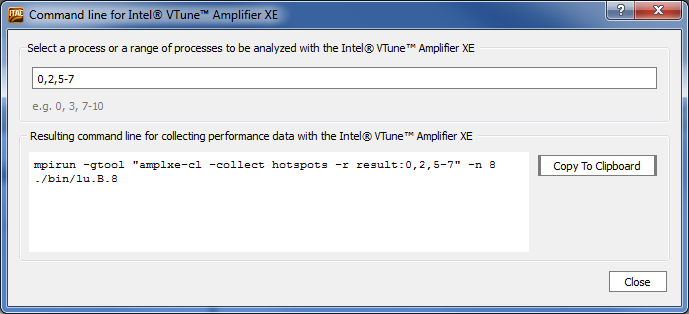
Use this dialog box to create a command line for Intel® VTune™ Amplifier XE. See the Interoperability with Intel® VTune™ Amplifier XE section for details.
Select This: |
To Do This: |
|---|---|
Process editing field |
Type in the numbers of processes you want to analyze with VTune Amplifier. You can select single processes separated by comma, or a range of processes separated by a minus sign. For example, to analyze processes 0, 2, 5, 6 and 7 you can type: 0,2,5-7 For full description of the syntax, see the Intel® MPI Library documentation. |
Resulting command line field |
Contains the resulting command line, which you can modify according to your needs and use for analyzing the specified processes. For details on the options you can use, see the VTune Amplifier documentation. When editing this field, the process editing field is unavailable. If your trace file does not contain the original command line, you will see only an example command line. |