Intel® VTune™ Amplifier is available for use on an OS X* host system. From an OS X host, you can launch a collection on a remote Linux* system or on an Android* system (VTune Amplifier for Systems only) and view the data collection result on the host. Local OS X analysis is not supported.
Prerequisites
Detailed information about installing and configuring VTune Amplifier for use on an OS X host is available from the Intel VTune Amplifier XE Installation Guide - OS X or Intel VTune Amplifier for Systems Installation Guide - OS X.
Install VTune Amplifier on your OS X host.
Set up a SSH connection to your remote target. You may need to install the appropriate drivers on the target system:
Target Android System (VTune Amplifier for Systems only)
Getting Started
Launch the VTune Amplifier GUI from the Launchpad or launch the command line collector by executing the amplxe-vars script and running the amplxe-cl command. By default, VTune Amplifier is installed under the /Applications directory. For more information, see Standalone VTune Amplifier Interface.
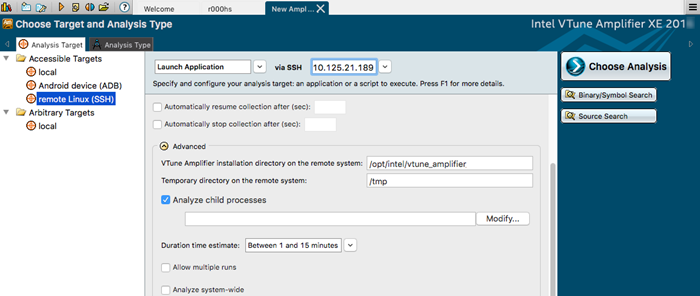
Create a new project and select the appropriate remote Linux or Android (VTune Amplifier for Systems only) analysis target.
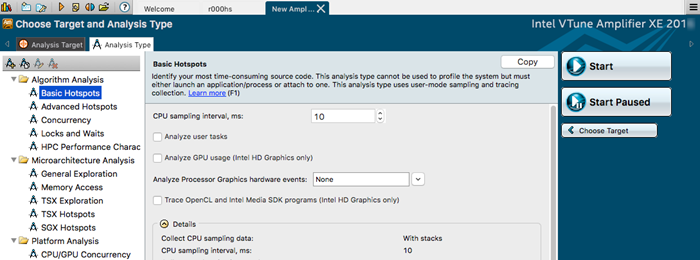
Select an analysis type applicable to your remote platform and run the analysis.
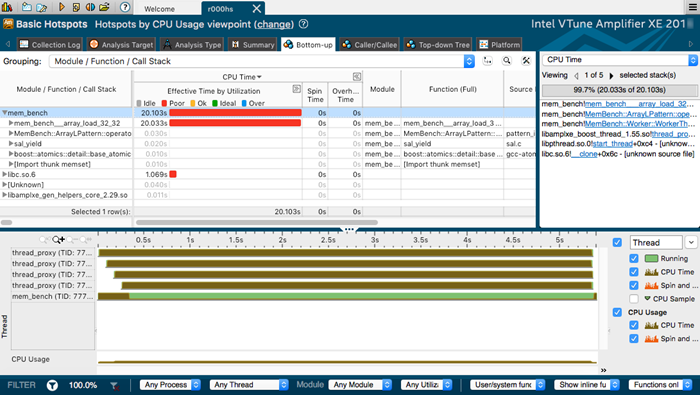
The analysis result is collected remotely and automatically copied to the host when collection completes. An analysis-specific viewpoint opens displaying the results.
View and analyze the results on the host system.